Arranging steps, branches, and routes on the process canvas
With a single click you can automatically arrange the steps, branches, and routes on the process canvas to make your process easier to understand and maintain.
Procedure
-
Click the Arrange link on the process canvas.
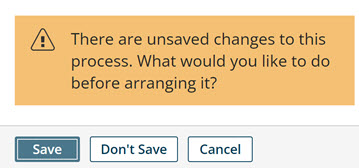
noteIf the process has unsaved changes, you are prompted to either Save, Don't Save, or Cancel.
When the steps, branches, and routes are arranged, notes and unconnected steps are moved to the bottom left.
-
Do one of the following:
-
If you are satisfied with the arrangement, click Save or Save and Close.
-
If you are dissatisfied with the arrangement, either make adjustments to the arrangement manually, or click the Revert link to revert the process to the last saved revision.
-
